


Spelling & Phonics: Kids Games
4.6681.00 Reviews
App Specs
- Version
- 1.8.6
- Updated On
- License
- Free
- Downloads
- 10,000,000+
- Developer
- RV AppStudios
- Categories
- Educational
- Platform
- Android, iOS
Screenshots
 Analysis by AppCompare
I’d treat Spelling & Phonics: Kids Games as a short, playful practice partner for a child who is beginning to connect letters with spoken words. Its central appeal is that spelling is handled as something a child can try, hear, and adjust, rather than as a list of words to memorize. That makes it easier to turn a few spare minutes into a low-pressure learning moment, especially when a child is curious but not ready to sit through a formal lesson.
The game is educational and comes from RV AppStudios. It is free, rated for Everyone, and its 4.6 average across around 29,000 ratings suggests that many families have found it useful. It has passed 10 million installs, but popularity alone cannot tell you whether it fits your child; age, patience, and current reading level matter more. I see it as most promising for early learners who benefit from repetition and sound-based practice, rather than for children who already want advanced spelling challenges.
Why sound-to-spelling practice matters
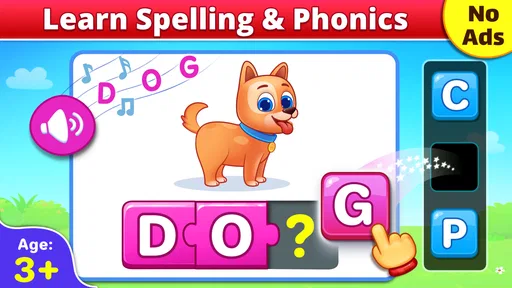
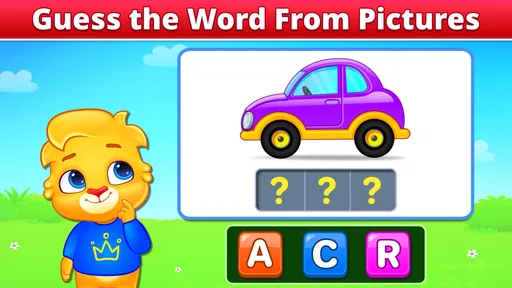
The capability I would focus on is the link between hearing a word and building it from letters. In the letter-building activity, a child can move letters into place to form a word, while a friendly voice says the word aloud. That pairing gives the child two things to work with: the way the word sounds and the way its written form is assembled. For a beginner, that can make spelling feel less abstract than copying a word from a page.
It is a modest but useful distinction. A child who guesses at a word may hear that it sounds different from the letters they chose, then have another go. I would sit nearby at first and ask, “What sound do you hear at the beginning?” rather than supplying the answer. That keeps the app from becoming a simple tap-through exercise and gives the child a chance to explain their thinking.
How the activities fit into real practice
First things first, downloading the app is a breeze. It's available on both Android and iOS, so no need to worry about compatibility issues. Once you fire it up, you're greeted with a colorful, friendly interface that's designed to engage kids right off the bat. The app is packed with vibrant animations and cheerful sounds, making it instantly appealing to little learners.
The setup is straightforward. You can create a profile for your child, which helps track their progress. This feature is super handy for parents who want to keep an eye on what their kid is mastering and what needs a bit more work.
The Core Features
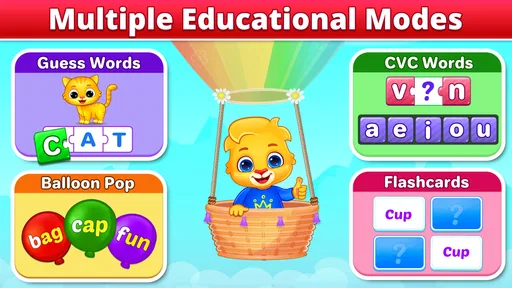
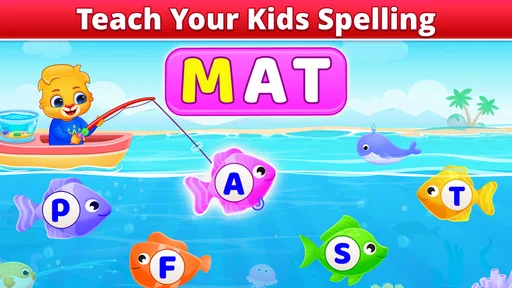
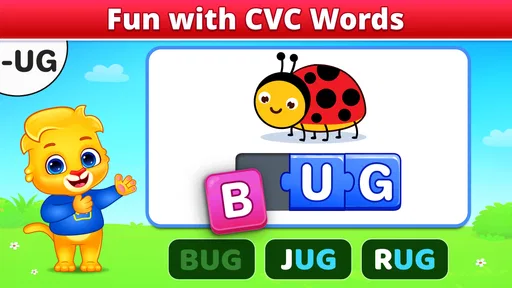
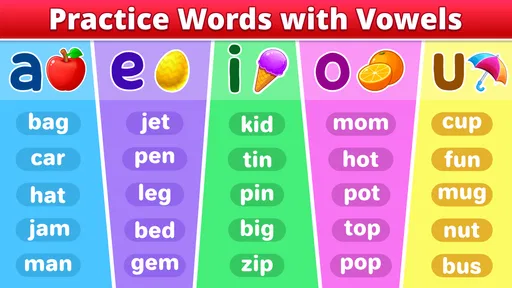
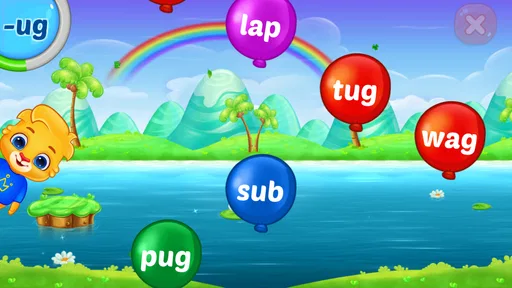
Now, let’s dive into what makes Spelling & Phonics: Kids Games shine. The app is divided into various sections, each focusing on different aspects of spelling and phonics. There are activities for letter recognition, word formation, and even mini-games that test your child's spelling skills in a fun way.
Worth Reading Before You Choose

EA SPORTS FC Mobile 26 Is a Bigger Football Game, but It Takes Time

Flipboard Shows What News Apps Must Do Beyond the Feed

Switching to Android Auto Means Rethinking Your Driving Routine

Google Calendar Makes a Crowded Week Easier to Manage

Ludo King Makes the Most of the Minutes Between Plans

Baby Panda World Brings Quick Play to Modern Phones, but Its Game Library Feels Busy
One of my favorite features is the "Word Magic" section. Here, kids can drag and drop letters to form words. It's a simple concept, but seeing the letters come together to form a word is magical for young minds. Plus, the app uses a friendly voice to pronounce the words, helping kids with phonetic learning.
Another standout feature is the "Phonics Fun," where kids can interact with sounds and letters. This section is designed to reinforce the connection between how a word sounds and how it’s spelled, which is crucial for early literacy skills.
For a useful session, I would keep the goal small: let your child try a few words, then ask them to say one aloud and point to the letter or sound they found tricky. That tiny pause turns a game attempt into a moment of reflection. If they get frustrated, stop while the activity still feels enjoyable; pushing through a string of mistakes can make a child associate spelling practice with pressure instead of discovery.
Making a short session count
A realistic routine might be opening the game after breakfast or while waiting for an appointment, then choosing one activity instead of wandering through everything at once. A few minutes can be enough to practise listening for sounds and arranging letters. Later, you can revisit a word in conversation—perhaps when it appears in a story or on a sign—so the child sees that spelling is useful beyond the screen.
The profile and progress tracking can help you notice patterns, but I would use them as a guide for what to practise, not as a scorecard. If a child repeatedly needs help with the same kind of task, try saying the word slowly together and let them attempt the letters again. The aim is not to rush toward a perfect streak; it is to help them notice how sounds map onto written words.
Learning Through Play
What I really appreciate about this app is how it combines learning with play. Kids are naturally curious and love to explore, and Spelling & Phonics: Kids Games taps into this by incorporating game mechanics into learning activities. Each section feels like a mini-game, which keeps kids engaged and eager to learn more.
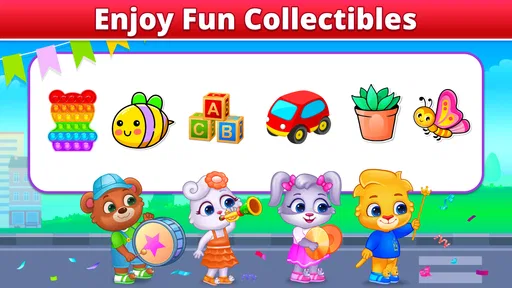
There's also a reward system where kids earn stars and badges for completing tasks. It's a clever way to motivate them to keep playing—and learning. Who doesn’t love a little reward now and then?
That playful structure is a real advantage for a child who avoids worksheets but enjoys trying a game. Still, rewards work best as encouragement, not the reason to keep going. I would praise the child for sounding out a word or correcting a letter, even when the task is not completed perfectly. That shifts attention from collecting rewards to the learning decision that led to the answer.
Where it sits among learning options
Compared with paper flashcards, the game can make a word audible and let a child manipulate its letters, which may hold attention better for a short practice session. A book or a parent-led activity, on the other hand, can connect spelling to a story and invite richer conversation. I would not use one as a replacement for the other: this app is most useful as a focused supplement, while reading aloud and writing by hand give children different kinds of practice.
It also differs from a broad early-learning app that covers many subjects. Spelling and phonics stay at the center here, so it makes sense when that is the skill you want to work on. If your child needs a structured reading curriculum, detailed teaching explanations, or more advanced vocabulary, a dedicated literacy program or support from a teacher may be a better fit. This game can encourage practice, but I would not expect it to replace individualized instruction.
User Experience for Parents
From a parent’s perspective, the app is pretty intuitive. Navigating through the various sections is seamless, and the progress tracking feature is a godsend. You can see at a glance how your child is doing and which areas might need a bit more attention.
There’s also a settings section where you can adjust the difficulty level. This is perfect for tailoring the experience to your child’s specific needs. Whether your kid is just starting out with letters or is ready to tackle more complex words, you can adjust the challenges accordingly.
In practice, I would check the difficulty setting when the game starts to feel either too easy or too discouraging, rather than changing it after every missed answer. A steady level gives a child room to build familiarity. If the child can solve tasks without listening carefully, raise the challenge; if they are guessing randomly or asking for help each time, reduce it and work alongside them.
Trade-offs to keep in mind
The bright presentation and game rewards may be motivating, but they can also pull a child’s attention toward animations and completion rather than careful listening. That is why I would stay close during early sessions and occasionally ask the child to explain a choice. The adult’s questions add context the game cannot provide on its own.
Another limitation is that a spelling game cannot tell you everything about a child’s literacy. Recognizing or assembling a word in an activity is not the same as using it in a sentence, reading it in a book, or writing it from memory later. If your child struggles consistently, combine practice with reading and writing away from the screen, and ask their teacher what skill would be most helpful to reinforce.
The game is free, which makes it easy to try without committing to a purchase. It is currently at version 1.8.0 and requires Android 6.0 or later on Android devices. Those practical details matter if you are installing it on an older phone or tablet; on iOS, check that the device can run the current version before planning to use it. I would also test the sound at a comfortable volume, since hearing the spoken word is central to the activity.
Who is likely to benefit most
I’d recommend giving it a try if your child is at the beginning of spelling, enjoys interactive activities, and responds well to hearing a word while working with its letters. It can also suit a parent who wants a simple way to add brief practice to a busy day without turning every session into a lesson. The most helpful role for an adult is to notice what the child is doing and connect it to sounds, not to sit back and expect the game to teach everything independently.
I would skip it, or keep it as only a small part of a wider routine, if your child is already beyond basic words, finds sound effects distracting, or needs a more systematic approach to reading. It may also be a poor match when the child wants open-ended creative play rather than spelling tasks. In those cases, shared reading, handwriting practice, or a more advanced learning tool could serve them better.
Final Thoughts
All in all, Spelling & Phonics: Kids Games is a well-rounded app that makes learning phonics and spelling enjoyable for kids. It’s engaging, educational, and easy to use, which checks all the boxes in my book. If you're on the lookout for a tool to help your child with their spelling journey, this might just be it.
So, next time your little one spells "dog" as "dawg," don’t sweat it. Just fire up this app and let the learning—and fun—begin!
Pros
- Engaging and colorful interface.
- Wide variety of phonics activities.
- Adaptive difficulty levels.
- Encourages independent learning.
- Offline access available.
Cons
- Limited content in free version.
- May require adult guidance initially.
- Some ads in free version.
- Occasional app crashes.
- In-app purchases can be pricey.
FAQs for Spelling & Phonics: Kids Games
What age group is Spelling & Phonics: Kids Games suitable for?
Spelling & Phonics: Kids Games is designed for children aged 3 to 8 years old. It features engaging activities that cater to early learners, helping them develop fundamental reading skills. The app combines fun and education, making it an ideal tool for parents and teachers looking to support young children in their literacy journey.
Is Spelling & Phonics: Kids Games available for both Android and iOS devices?
Yes, Spelling & Phonics: Kids Games is available for download on both Android and iOS platforms. It can be found on the Google Play Store and the Apple App Store, ensuring compatibility with a wide range of smartphones and tablets. This accessibility makes it easy for parents to incorporate it into their child’s learning routine.
Does the app require an internet connection to function?
Spelling & Phonics: Kids Games can be used offline, making it convenient for parents who want their children to learn on the go without needing a constant internet connection. However, some features, like updates and additional content downloads, may require internet access. It’s best to initially download and set up the app while connected to Wi-Fi.
Are there any in-app purchases or advertisements in Spelling & Phonics: Kids Games?
The app may include in-app purchases to unlock additional content or features, providing an enhanced learning experience. It’s designed to be child-friendly, so ads, if present, are minimal and unobtrusive. Parents should review these options to ensure they align with their preferences and budget before allowing children to use the app.
How does Spelling & Phonics: Kids Games support a child's learning?
Spelling & Phonics: Kids Games supports learning by offering interactive and engaging activities that focus on phonics, spelling, and vocabulary development. Through colorful graphics and fun games, children are encouraged to practice reading skills in a playful environment. The app adapts to different skill levels, ensuring that kids remain challenged and motivated.


